製造中的素材定義

素材 作為製造過程中的基礎元素。在生成刀具路徑之前,必須精確定義它以表示原材料的初始狀態,該狀態將被加工以滿足最終設計規範。

GO2cam中素材的功能

  1. 加工策略規劃

    • 該軟體根據素材的形狀、尺寸和材料屬性計算最佳刀具路徑,確保精度並最大限度地減少浪費。

  2. 流程模擬

    • 通過定義素材,用戶可以模擬每個階段的材料去除,幫助檢測潛在的加工問題並進行必要的調整。

  3. 效率優化

    • 素材配置可實現優化的切割順序、刀具選擇和加工參數,從而提高零件生產的速度和精度。

章節概述

本節詳細介紹了“素材建立”對話框、顯示設定和可配置的計算參數。

涵蓋的主題:


什麼是素材管理?

GO2cam 中的素材管理使用 基於 Parasolid 的 B-rep 建模 來模擬材料去除。該過程遵循以下計算邏輯:

  • 1 NC 代碼塊 → 產生 1 刀具掃掠體積 → 執行 1 布林減法 (更新素材)。

效能考量:

  • 由於累積的布林運算,大型或複雜的刀具路徑可能需要較長的計算時間。

  • 在極少數情況下,極其詳細的刀具路徑可能導致不穩定或失敗。

For improved efficiency, 網格素材建模 is available as an alternative to traditional B-rep methods.

素材管理:「所見即所得」(WYSIWYG):

  • 模擬素材與真實世界的加工結果精確匹配。

  • 確保可預測的材料去除 - 每個刀具路徑操作都會完全按照在實際機器上的方式修改素材。

  • 提供 視覺真相 - 最終顯示的素材反映了加工後的物理工件。

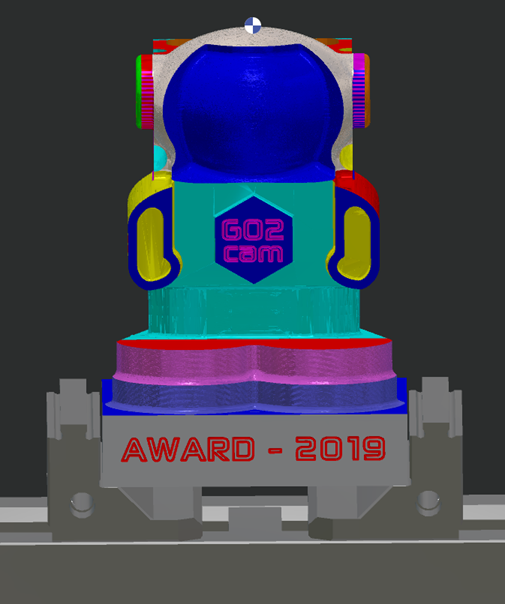
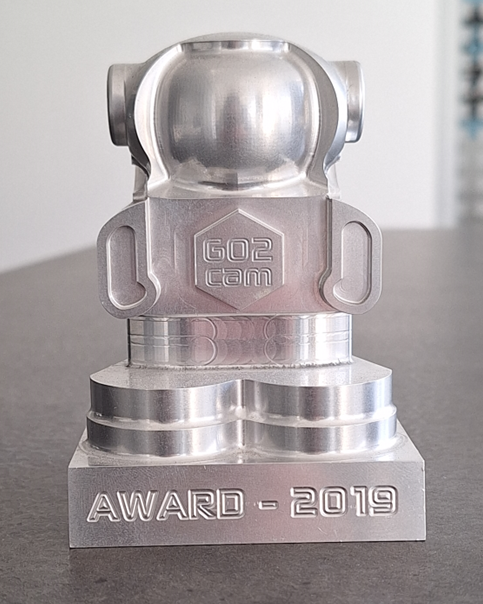
image-20250417-045821.png image-20250417-045826.png

素材管理 vs. 動態模擬

Feature

素材管理

動態模擬

Primary Focus

Only material removed by 切削運動 is modeled.

綜合加工環境分析和模擬所有NC指令(切削和非切削)

Non-Cutting Movements

忽略快速移動

包括快速移動

Fixtures & Tooling

排除(沒有刀把、夾具或虎鉗)

完全建模(刀把、夾具、機床組件)

Collision Detection

不支持

實時碰撞檢查(刀具、刀把、工件)


Stock Display Option

The tolerance of display of the solid and also the stock is defined in 工具 / 選項 / 實體 / 一般 / 視覺舒適度。 (Same settings are accessible via the status bar in the bottom-right corner.)

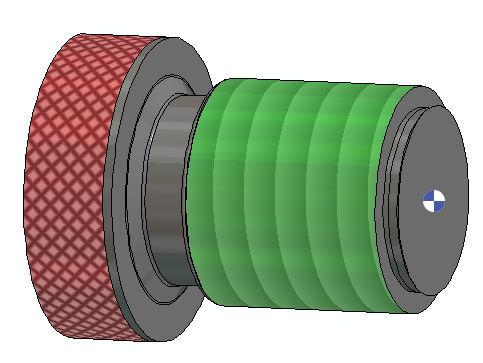
為了精確的可視化和模擬,建議對以下操作使用逼真的紋理渲染:

  • 攻牙

  • 闆牙螺紋加工

  • 旋風式螺紋加工

  • 滾花

  • Standard Threading

  • 輪廓車牙

Stock texture_MSI-EGM_mars-15-170540-2024_Conflict.png

Rendering Texture of Tapping, Die Threading, Thread Whirling and Knurling are now available in the dynamic simulation !

Display of the Stock in the Program Window

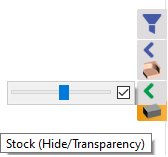
加工選項卡中素材的顯示可以使用右側的“過濾器”欄進行控制。

  • The transparency state can be controlled by expanding the arrow in top of the stock icon. Use the sliding bar to adjust the transparency level.

  • Check the box to activate the transparent stock, else uncheck it have the stock fully solid and opaque.

  • The Stock icon controls the transparency and visibility states of the stock:

    • Click to hide or unhide the stock. (Note: Unhidden, the stock is visible in the state is initially was which is either transparent or opaque).

    • Scroll-click to activate the transparency of the stock or set is to fully solid and opaque.

Stock Display - program window.png

The display of the dynamic stock removal during simulation can also be controlled. Click on the link below for additional information:

Computation of the stock during simulation