制造中的素材定义
素材 作为制造过程中的基础元素。 在生成刀具路径之前,必须精确定义它以表示原材料的初始状态,这些原材料将被加工以满足最终的设计规范。
GO2cam 中素材的功能
-
加工策略规划
-
该软件根据素材的形状、尺寸和材料属性计算最佳刀具路径,确保精度并最大限度地减少浪费。
-
-
过程模拟
-
通过定义素材,用户可以模拟每个阶段的材料去除,帮助检测潜在的加工问题并进行必要的调整。
-
-
效率优化
-
素材配置可以实现优化的切削顺序、刀具选择和加工参数,从而提高零件生产的速度和精度。
-
章节概述
本节详细介绍了 素材创建 对话框、显示设置和可配置的计算参数。
涵盖的主题:
什么是素材管理?
GO2cam 中的素材管理使用 基于 Parasolid 的 B-rep 建模 来模拟材料去除。 该过程遵循以下计算逻辑:
-
1 NC 码块 → 生成 1 个刀具扫掠体积 → 执行 1 布尔减法 (更新素材)。
性能注意事项:
-
大型或复杂的刀具路径可能需要更长的计算时间,因为累积了布尔运算。
-
在极少数情况下,极其详细的刀具路径可能导致不稳定或故障。
For improved efficiency, 网格素材建模 is available as an alternative to traditional B-rep methods.
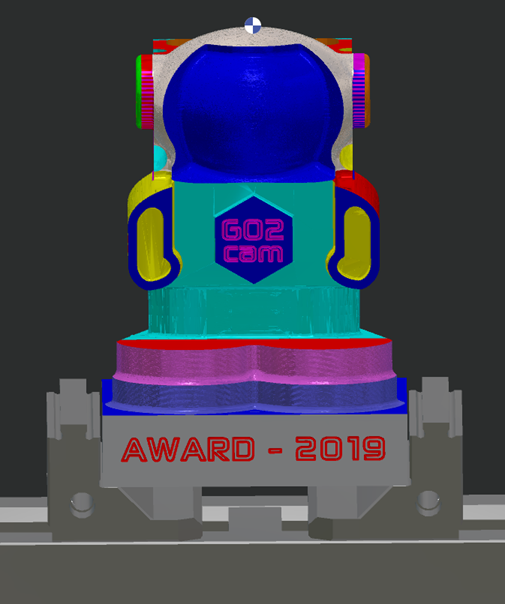
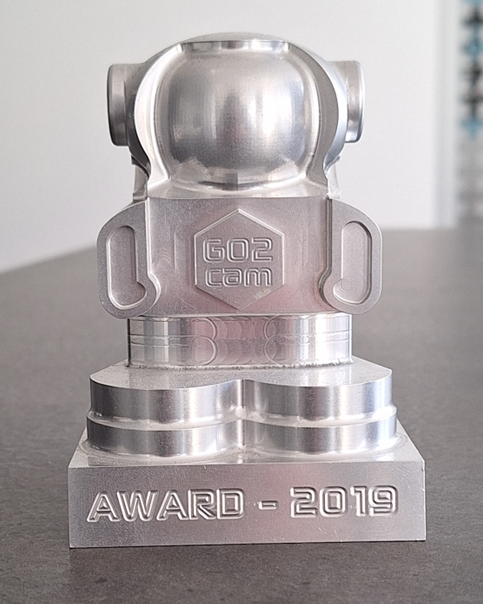
素材管理:“所见即所得”(WYSIWYG):
-
模拟素材与实际加工结果完全匹配。
-
确保可预测的材料去除 - 每个刀具路径操作都会精确地修改素材,就像在实际机器上一样。
-
提供 视觉真实性 - 最终显示的素材反映了加工后的物理工件。
|
|
素材管理与动态模拟
|
特征 |
素材管理 |
动态模拟 |
|
主要焦点 |
仅对 切削运动 去除的材料进行建模。 |
全面的加工环境分析并模拟所有 NC 命令(切削和非切削) |
|
非切削运动 |
忽略快速移动 |
包括快速移动 |
|
夹具和刀具 |
排除(无刀架、夹具或虎钳) |
完全建模(刀架、夹具、机器部件) |
|
碰撞检测 |
不支持 |
实时碰撞检查(刀具、刀架、工件) |
素材显示选项
|
实体的显示公差以及素材的显示公差在 工具/选项/实体/常规/视觉舒适度。 (相同的设置可以通过右下角的状态栏访问。) |
|
|
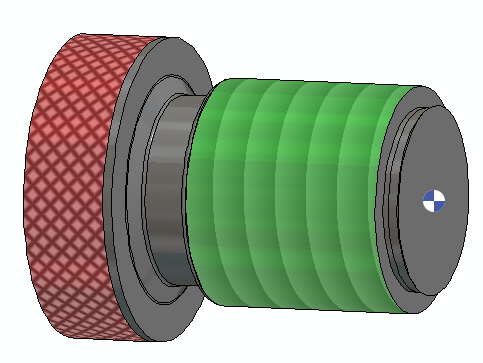
为了获得准确的视觉效果和模拟,建议对以下操作使用逼真的纹理渲染:
|
|
攻牙、板牙螺纹加工、旋风式螺纹加工和滚花的渲染纹理现在可以在 动态模拟 !
素材在程序窗口中的显示
|
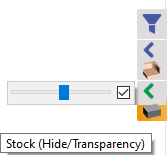
加工选项卡中素材的显示可以通过右侧的过滤器栏进行控制。
|
|
在模拟过程中,动态素材去除的显示也可以被控制。 单击下面的链接以获取更多信息: