概述
本指南提供了在 GO2cam Production 和 GO2cam Operator 環境中安裝 NC Control 的逐步說明。 在繼續之前,請確保您已安裝 GO2cam Production 或 Operator 版本 6.10 或更高版本。
安裝步驟
|
步驟 |
描述 |
圖片 |
|
1 |
GO2cam Production:
|

|
|
2 |
GO2cam Operator:
|
|
|
3 |
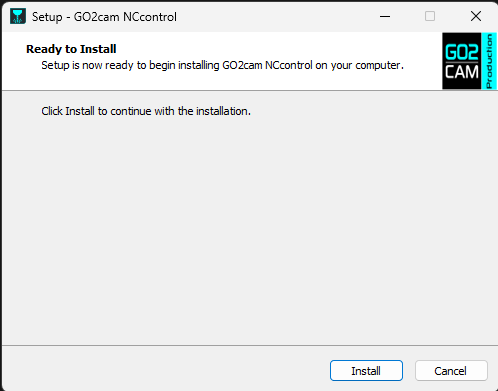
雙擊 NCcontrol_GO2cam_V6xx.exe 開始設置。 |
|
|
4 |
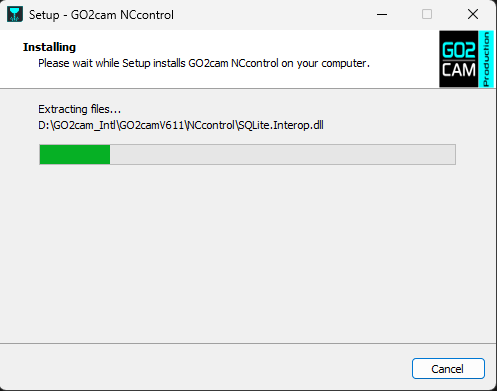
點擊 安裝 提示時。 |
|
|
5 |
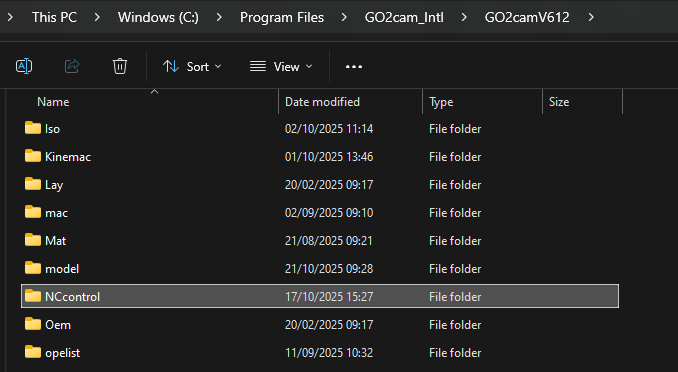
安裝程式創建 NC Control 子目錄在您的 GO2cam 安裝目錄內(從 Windows 註冊表中恢復,默認情況下 C:\Program files\GO2cam_Intl\Go2camV6xx ). |
|
-
在運行 NC Control 設置之前安裝 GO2cam。
-
安裝程式從 Windows 註冊表中檢測 GO2cam 安裝目錄。
-
NC Control 從 GO2cam Production V6.10 或 GO2cam Operator V6.10 開始可用。